
LIVE Streaming for Weddings and Special Events

Trust TheWorksCast to include your distant family, relatives and friends on your special day or event using LIVE Streaming. Using our LiveU Solo system, we can bypass the network connectivity challenges to provide our own high-quality and reliable live stream that your remote audience can view from any location. Now all of your remote guests that could not attend in person due to travel complications, can feel like they are there and a part of your memorable day.
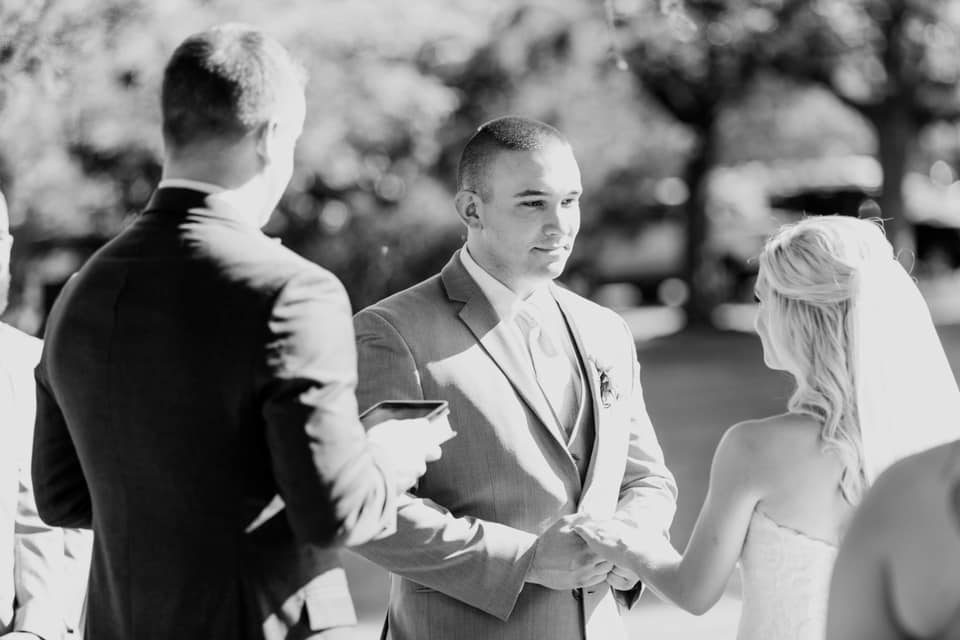
With this service – TheWorksCast will provide a unique URL that you can share with your guests and includes a branded web page designed just for you. Regardless if your event is indoors or outdoors – our LIVE streaming solution can move and broadcast the shot without any loss in connectivity so your online viewers don’t miss a thing. The LiveU Solo system generates it’s own network connection using supplied 4G/5G bonded “hotspots” so we don’t need anything from the venue location.

When the event is over – the streamed broadcast is yours to view on-demand at any time from your Facebook page or YouTube account along with the recorded high-definition camera footage that is your to keep.

Please contact John to discuss your upcoming event!

LIVEU! LIVE STREAMING FROM ANY LOCATION

TheWorksCast now offers LiveU Solo, a device which provides the internet connection to stream from any location using bonded 4G LTE cellular modems. In the event there is no internet at the broadcast location – we can provide a reliable solution that is perfect for broadcasts that are outdoors, in a moving vehicle, an old building, or any other unconventional location. Please contact John for more information about the LiveU Solo!

SLINGSTUDIO!

The first portable, wireless multi-camera broadcasting platform. Monitor, record, switch, edit and stream live HD-quality video wirelessly.

  • Capture every angle with ease using multiple cameras.
  • SlingStudio is a portable production truck in a backpack.
  • Livestream your event with your cameras, ios or android smartphones.

SLINGSTUDIOCAST package: $3000* plus out-of-pocket expenses (camera ops available at additional cost)

  • SlingStudio Pro Pack with (3) Camera Links
  • (3) JVC GY-HM180 cameras with tripods and zoom controls (locked shots)
  • 4-channel field mixer with boom mic
  • Sennheiser wireless ENG system (with lapel and handheld transmitter)
  • Stream to Facebook, YouTube, Vimeo, Twitch, Periscope, Livestream, and other client provided RTMP destinations.
  • Technician

*Note: requires client supplied internet connection with minimum 10MB bandwidth (wired connection is preferred)

Livestream and Encoding with Studio

One of our pharma clients is conducting frequent training sessions to a nationwide audience. Since the event locations will vary from coast-to-coast, to support these events – we decided to use Livestream and their Studio software.

Livestream Studio is a live production switcher that incorporates many elements of a professional live multi-camera production into one desktop software. Think of it as a live production truck or a TV station’s master control room in your computer.

Here is a stream sample of a live event using Studio:

https://livestream.com/accounts/11528772/events/7840624/player?width=640&height=360&enableInfoAndActivity=true&defaultDrawer=&autoPlay=false&mute=false

Need to broadcast an audio-only stream… Mixlr is our choice!


Broadcasting live audio made simple

Go live with a powerful and versatile live audio streaming solution

Broadcast live audio as it happens, or take your pre-recorded content live. Connect any input device, use your built-in mic, add sounds to your playlist and mix up to three different channels at once. Record all your live shows so you can edit or publish them later in your own time.

We can embed the player on any web page or we can help you create your own channel for on-going broadcasts.

VMix and Remote Call!

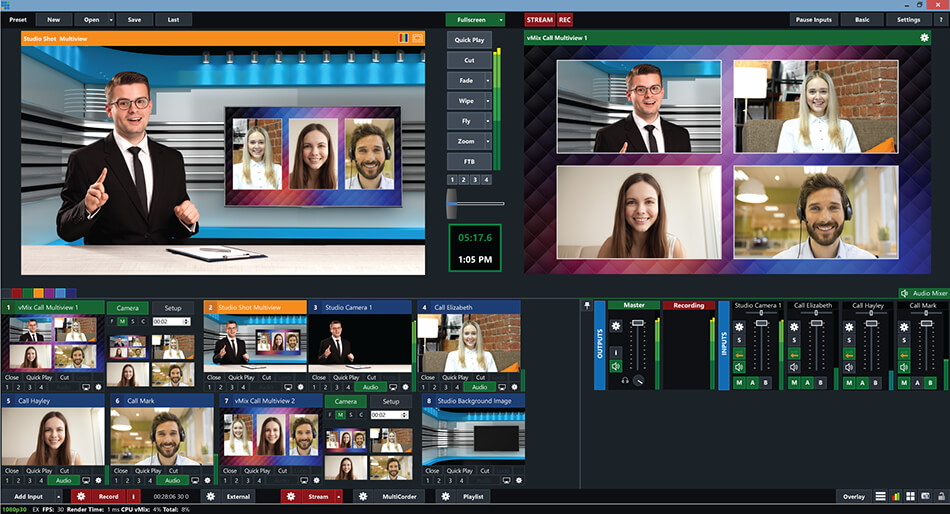
vMix is a Software Video Mixer and Switcher that utilizes the latest advances in computer hardware to provide live HD video mixing, a task previously only possible on expensive dedicated hardware mixers.

vMix also functions as live streaming software that allows you to publish your live productions directly to the Internet!.

vMix is a complete live video production software solution with features including LIVE mixing, switching, recording and LIVE streaming of SD, full HD and 4K video sources including cameras, video files, DVDs, images, PowerPoint and much much more.

Add up to 8 remote guests to your VMix Production

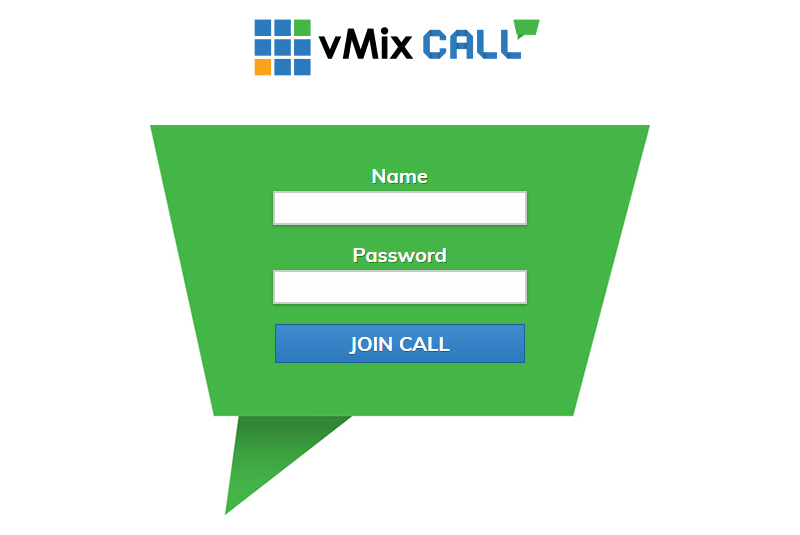
vMix Call makes it easy to add remote guests to your vMix production.
With only a web browser and webcam your guest can connect into your live show with HD video and high quality audio from anywhere in the world.


vMix Call is the easiest way to add guests to your live production. Simply add a new vMix Call input to vMix and share the provided web site with your guest to login, it couldn’t be easier! Repeat this process for as many guests as you need up to the 8 available in vMix Pro.

Why we like TrueConf!

For point-to-point events where our clients request a 2-way experience for 2 or more remote locations to connect for a live meeting – we go with TrueConf (www.trueconf.com)

The main benefit for using TrueConf is their native support of UltraHD video conferencing – 720p up to 4K video quality is supported.

We work with each remote location to ensure all the technical requirements are met. Downloading the TrueConf. client application is free and available for any platform (mobile app/Windows/Mac) and easy to install.

Here is a list of equipment we use at each remote location:

  • Large HDTV on stand or HD projection solution
  • High-end laptop or desktop computer (i7 or Mac ProBook)
  • Huddlecam PTZ HD camera with remote
  • Inogeni or Magewell HDMI to USB 3.0 interface
  • Zoom U24 or Behringer USB 2.0 audio interface
  • Wireless lapel microphone or wired podium microphone

4-camera live switched video demo for $1000?

Here’s the deal – we provide 4 HD Canon Vixia cameras on tripods connected to a Roland V-1 switcher. We provide a sub-mixer for audio and we position 2 microphones to capture the live sound as well as connecting 2 additional audio sends from the house mixer. We capture your performance and give you the program archive in full HD quality along with a copy of each camera’s footage that we can transfer to a supplied hard drive.

View Sample: Good-to-Rock

View Sample: SwitchMob (using one stabilized camera)

Q: Why Hire a Webinar Producer? A: To focus on your presentation and not the tech!

Conducting on-line meetings (webinars) is common practice – and whether you are scheduling one for the first time or have experience with conducting webinars – using a webinar producer will enhance your event with several advantages.

Just with set-up alone – the webinar producer can manage the webinar event: schedule it and provide you with the invite to blast to your attendees. The set-up process will also define the webinar configuration for how your attendees will connect using their webcam, phone, VoIP(voice-over-IP) with help and tips to inform them how to use these tools and features.

Rehearsals are also supported and the producer can be responsible for setting up a rehearsal run-through with the presenter(s) so they are comfortable with the platform and any interactive features to engage the audience.

Equipment can be provided so you have a complete turn-key solution: large TV display, HD camera, backdrop with up-lighting, lighting, lapel microphone, presentation cue remote and speakers.

One of the most important roles of the webinar producer is greeting your attendees before the session begins and taking on the role of the moderator. The producer can help with providing housekeeping items and performing a “techCheck” with each attendee – making sure they’re video and audio settings are “good-to-go” before the session starts so their are no delays or issues once the presentation begins.

The webinar producer will manage the presentation flow while you present. Switch from any of the room layouts, change presentations, push any of the interactive features (polling questions), alerting the presenter of any questions that appear in the chat and transition the group to breakouts.

The webinar producer can also manage the recording of the webinar event, close out the event, push out a survey to the attendees before the session ends then provide any post-event tasks including submitting any reports of the events attendance, chat, submitted questions and polling results.

Let us help you – not all presenters are technically savvy and experienced conducting webinars. Having a webinar producer lets you focus on the success of your presentation while we manage the technical tasks.

Media Portals – need help sharing your media content?

If you want to share your media content (archived video and audio streams, PDFs, active links to interactive training presentations, polling and assessments…) a media portal may be of interest to you.

We have an easy to use Media Portal solution that can be branded to your corporate specifications and managed by one of your own internal associates. Add your own users with viewing permissions, upload and embed your media into a template driven design that is organized and looks great! Admin permissions give you total control of your content and pages.

Two of our clients that are using our Media Portal solution are:

http://aerietrainingacademy.com/login/
https://ammonlabstrainingacademy.com/login/

Would you like to see more? Contact me to schedule a demonstration!